Here's how to resolve the 404 Error on your calendar widget:
INSTRUCTIONS:
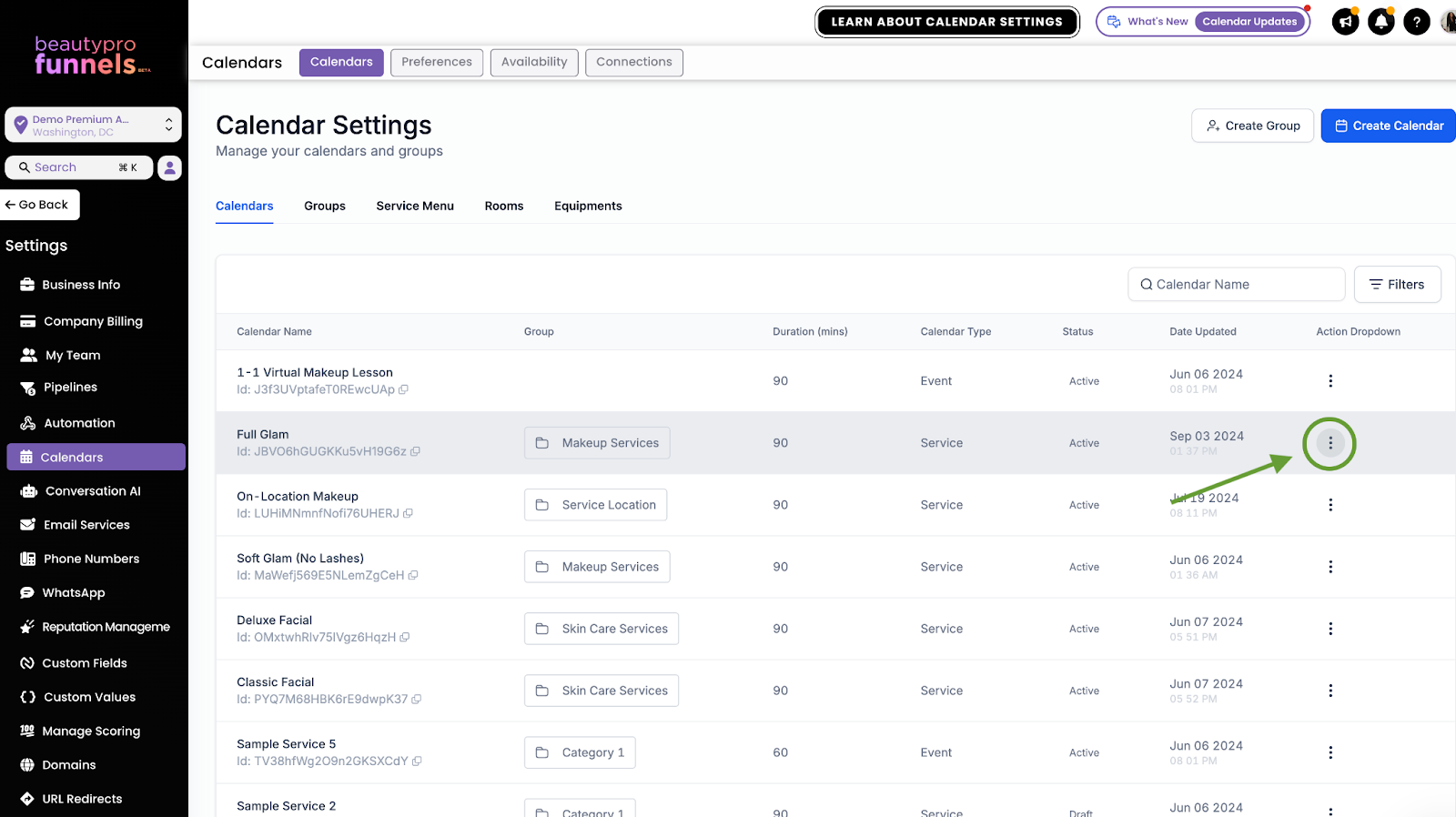
1. Navigate to your calendar settings
2. Click the 3 dots next to calendar you're working with
3. From the menu, click "Activate Calendar"
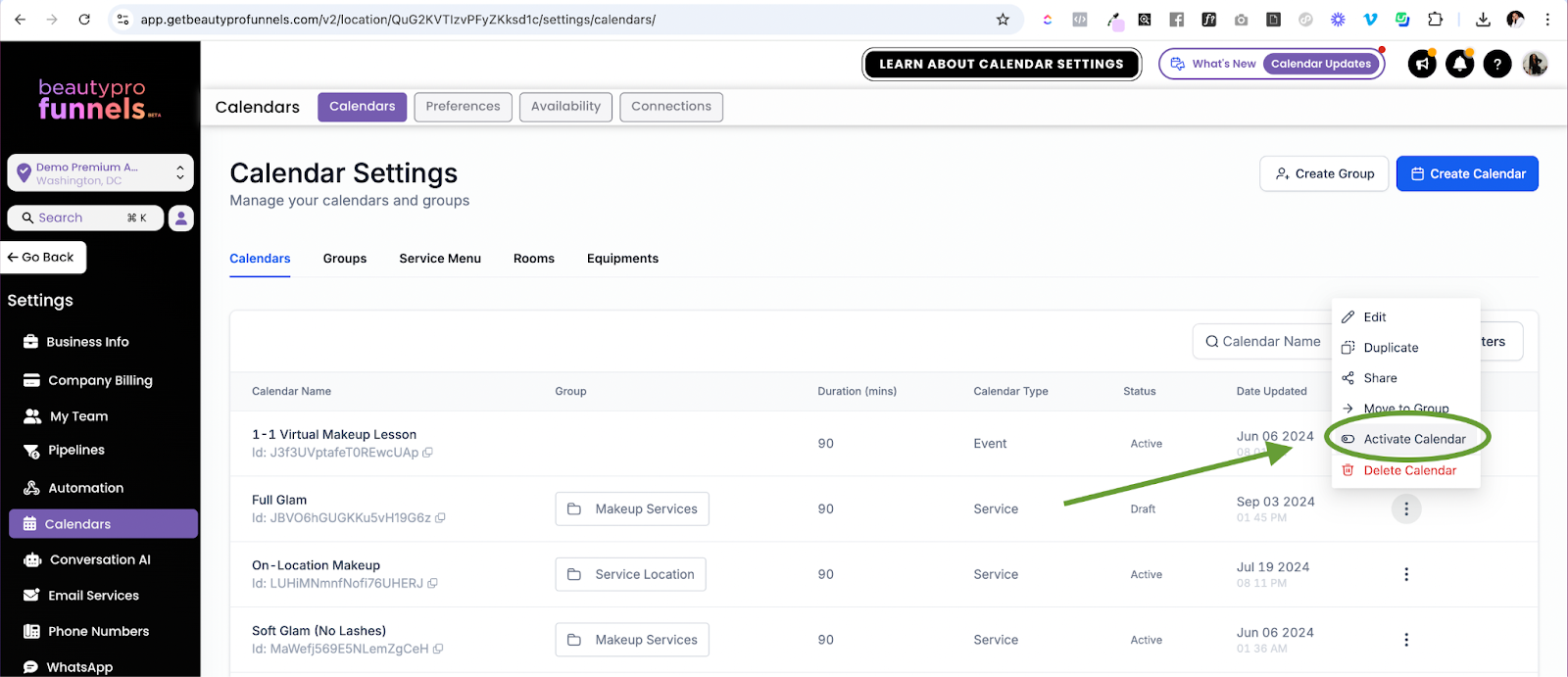
Now that the calendar has been activated, the 404 error should be resolved! ?
Was this article helpful?
That’s Great!
Thank you for your feedback
Sorry! We couldn't be helpful
Thank you for your feedback
Feedback sent
We appreciate your effort and will try to fix the article